Search this blog

Showing posts with label New Features. Show all posts

Friday, November 27, 2009

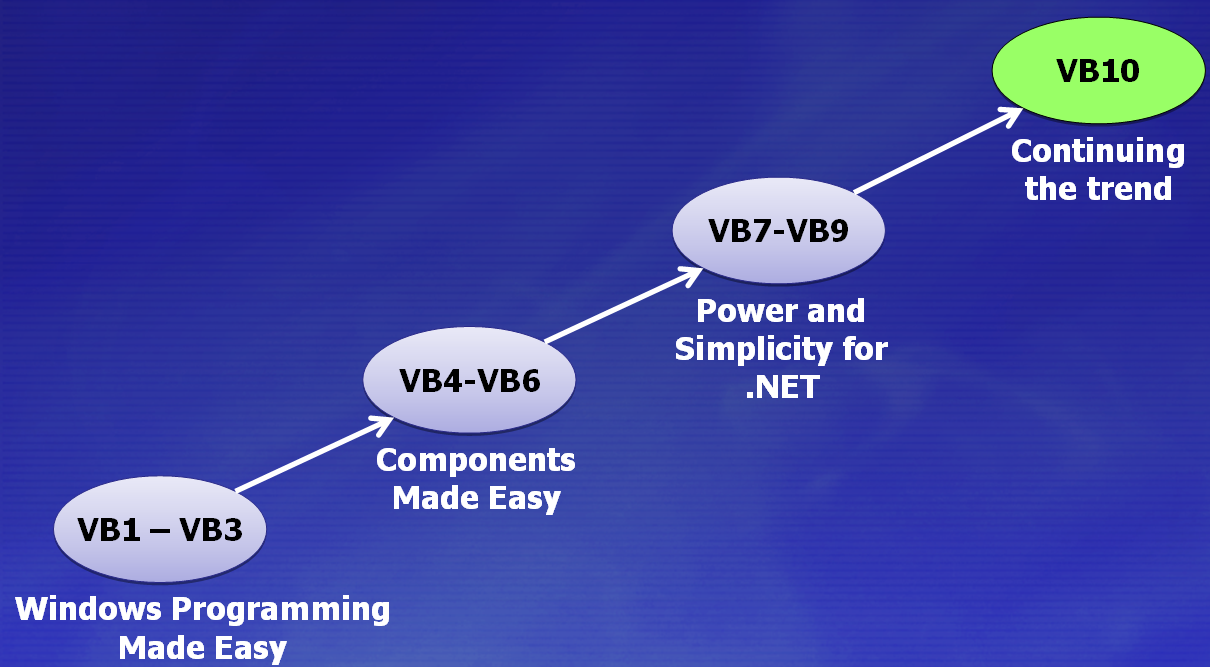
The Evolution of Visual Basic


Visual Basic 1 – Visual Basic 3:
  • Made Windows programming accessible
  • Helped make Windows the premier platform in the world
Visual Basic 4 – Visual Basic 6:
  • Made targeting COM and OLE approachable for most developers

Visual Basic 7 – Visual Basic 9:
  • Bringing the "ease of use" to the .NET platform
  • Helped establish the CLR as the premier managed runtime in the world

Visual Basic 10:
  • Continuing this trend to make it easy to use and leverage the platform

The Evolution of C#


C# 1.0:
With the launch of the C# language, it was a major shift we took to a full managed environment. This was a big step for programming languages at Microsoft.


C# 2.0:
With the second release of C# we introduced fully reified Generics into the language. This was a very powerful addition to the type system.


C# 3.0:
C# 3.0 introduced LINQ which we talked about previously


C# 4.0:
Not just “dynamic” as in late-binding, but those features that allow the compiler to “get out of the developer’s way”.

Thursday, November 26, 2009

Visual Studio 2010 - Highlighting References

This is another enhanced feature of visual studio 2010 Editor, the new feature is Highlighting References.

When you click on the identifier in the code window, immediately all instances of that identifier will automatically highlighted in the document.
For Example, See the exhibit, here I clicked on the variable, "iTotal" then all the references of the "iTotal" is highlighting as shown in the display.


In this screenshot, I marked two identifiers in red color box. It is also having same identifier name "iTotal". But it is not highlighting, because it is belongs to different reference. Highlighting feature works well.

You can navigate all the highlighted references by just pressing SHIFT+CTRL + UP ARROW or Down Arrow

These highlighting features will only works on identifier or any user defined methods, not any internal keywords.

Visual Studio 2010 - Zoom Text Editor

This is an enhanced editor feature in Visual Studio 2010. You can Zoom the text content in Visual studio IDE. This feature already integrated with all Microsoft products, but in Visual Studio, it is introduced in VS 2010 version only.

In Visual Studio 2010 code editor window, you can quickly Zoom in or Zoom out by pressing and holding the CTRL key and Scroll Mouse Wheel.

Also you can zoom the textual tool windows of VS 2010 IDE, for example, the Output window.

Note: The zoom feature does not work on any design surfaces, designer windows that contain icons, for example, the Toolbox or Solution Explorer.

See the Exhibit Of sample of this new feature:


Wednesday, November 25, 2009

New Features in VS 2010 - IntelliSense suggestion Mode

In Visual Studio (VS) 2010 is come up with new features in IntelliSense.


Visual Studio 2010 provides two alternatives for IntelliSense statement completion.
They are
1. completion mode
2. Suggestion mode.


In prior version of Visual Studio’s IntelliSense search only the sequential character, in VS 2010, IntelliSense search the character in the Members from IntelliSense List.


You can toggle the mode by using CTRL+ALT+SPACEBAR
Completion Mode:


Suggestion Mode:


Note: Use Capital Case to search. For Example, use RL to search ReadLine


Some More Example of IntelliSense:


Here IntelliSense listing the members based on the character cu


This IntelliSense listing the members based on the character RL


This IntelliSense listing the members based on the character SW